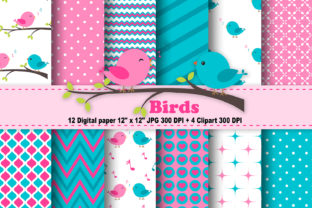
Birds Digital Paper: A Practical Resource for Crafters and Designers
Birds Digital Paper is a curated collection of high-resolution, printable digital pattern sheets designed specifically for paper-based creative work. Unlike generic scrapbook papers or stock texture packs, Birds Digital Paper centers on avian-themed motifs—feathers, nests, wing silhouettes, botanical birds, and stylized illustrations—all rendered with consistent scale, color harmony, and print-ready fidelity. The set includes 12 JPEG files, each sized at 12 × 12 inches and delivered at 300 DPI, ensuring crisp output whether used for cardstock cutting, printed journaling, or layered digital layouts.
What Sets Birds Digital Paper Apart
Many digital paper collections prioritize volume over cohesion—offering dozens of patterns that vary widely in style, resolution, or thematic continuity. Birds Digital Paper avoids this fragmentation by maintaining a unified visual language across all 12 sheets. Each design balances detail and negative space, allowing it to function equally well as a background layer or a subtle accent. The palette leans into natural tones—soft greys, muted greens, warm ochres, and sky blues—but avoids oversaturation, making the papers compatible with both vintage and modern design sensibilities.
The inclusion of four companion clipart PNG files further distinguishes this resource. These are not generic bird icons; they’re hand-drawn, scalable elements (each up to 6 × 11 inches at 300 DPI) with transparent backgrounds, enabling precise placement over photos, text, or layered compositions. Their proportions allow them to sit comfortably within standard scrapbook page dimensions without distortion or pixelation.
How It Compares to Broader Digital Paper Categories
Digital papers fall into several functional categories: decorative backgrounds, texture overlays, thematic collections, and craft-specific kits (e.g., planner inserts or Cricut-ready SVG bundles). Birds Digital Paper sits firmly in the thematic collection category—but with craft-specific utility built in. It doesn’t include SVGs or layered PSD files, nor does it offer editable vector formats. That’s intentional: it prioritizes accessibility and immediate usability over technical flexibility.
Compared to free digital paper downloads, Birds Digital Paper offers predictable quality control. Free resources often vary in resolution (some as low as 72 DPI), lack uniform sizing, or embed watermarks or licensing restrictions that limit commercial use. In contrast, every Birds Digital Paper file meets professional print standards and carries clear usage terms suitable for personal and small-business applications—including handmade greeting cards, boutique packaging, or classroom materials.
When weighed against subscription-based design libraries, Birds Digital Paper provides a finite, focused asset set rather than an ever-growing catalog. Subscriptions may offer broader variety, but they require ongoing commitment and often demand software compatibility (e.g., Adobe Creative Cloud integration). Birds Digital Paper works natively with any image editor, desktop publishing tool, or even basic word processors—no plugins or accounts required.
Strengths and Real-World Use Cases
The strength of Birds Digital Paper lies in its reliability across multiple hands-on applications:
- Scrapbooking and Memory Keeping: The 12 × 12 size matches standard scrapbook page dimensions exactly, eliminating scaling guesswork. Feathered borders and nest motifs pair naturally with nature-themed photo albums or baby announcements.
- Print-on-Demand Stationery: Designers using platforms like Printful or Gelato can integrate these papers directly into custom notebook covers, gift tags, or postcard templates—no reformatting needed.
- Educational Materials: Teachers creating bird-themed lesson handouts or classroom posters benefit from the clean lines and readable contrast of the patterns, especially when printed on matte or recycled paper stocks.
- Small-Batch Packaging: Artisan soap makers or herbal tea brands use the papers as wrap liners or label backdrops—subtle enough to avoid overwhelming product branding while adding tactile warmth.
Because all files are JPEG-based, they load quickly and open reliably across devices. This matters for users working on older hardware or limited bandwidth—especially those outside major urban centers where high-speed internet access isn’t guaranteed.
Tradeoffs and Considerations
No single digital paper set serves every need—and Birds Digital Paper is no exception. Its focus on avian themes means it won’t suit projects requiring seasonal motifs (e.g., winter holidays), abstract geometry, or bold typography. If your workflow depends heavily on vector editing—resizing logos without loss, adjusting individual paths, or applying gradient meshes—JPEG and PNG formats will feel limiting. Similarly, if you regularly create multi-layered digital collages where blending modes or non-destructive filters are essential, the flat raster nature of these files requires more manual adjustment than layered PSD or TIFF alternatives.
The clipart files, while useful, are intentionally minimal in number—four distinct pieces, not forty. That reflects a design philosophy favoring thoughtful reuse over abundance. One feather element, for example, can be flipped, rotated, recolored, or duplicated to build rhythm across a layout—rather than relying on dozens of near-identical variants.
When Birds Digital Paper Is the Right Fit
This collection shines when clarity, consistency, and ease of implementation matter more than infinite customization. It suits creators who value time efficiency: someone preparing a themed workshop handout for a local nature center, a small business owner updating their Etsy shop banner and product labels in one afternoon, or a hobbyist building a cohesive bird-watching journal over several months.
It also fits well for learners still building confidence with digital tools. Because there’s no steep learning curve—no layers to manage, no vectors to convert—it lowers the barrier to entry without sacrificing output quality. You don’t need to know how to mask, blend, or kern to produce something polished.
When Another Option Might Be Better
If your project demands scalability across vastly different formats—say, a single design repurposed for social media banners, embroidered patches, and vinyl decals—vector-based resources (like SVG or EPS files) would offer more versatility. Likewise, if you’re developing a brand identity system with strict color palettes and typographic rules, a custom-designed paper suite—tailored to your exact hex codes and font families—may deliver tighter alignment than a pre-made thematic set.
For educators needing ADA-compliant materials, note that Birds Digital Paper doesn’t include alt-text descriptions, audio versions, or high-contrast variants. While the designs themselves avoid flashing effects or overly fine detail, additional accessibility adaptations would need to be added separately.
Making a Practical Decision
Evaluating Birds Digital Paper isn’t about whether it’s “the best” digital paper available—it’s about whether it solves your current problem with appropriate scope and fidelity. Ask yourself:
- Do I need a ready-to-use, avian-themed set that prints cleanly at full size?
- Am I comfortable working with JPEG and PNG files, or do I rely on editable layers or vectors?
- Will I use these assets across multiple physical outputs—or mostly in digital presentations?
- Is thematic consistency more valuable to me than broad stylistic range?
If most answers point toward immediacy, cohesion, and tactile usability, Birds Digital Paper aligns well. If your priorities lean toward adaptability across formats, deep customization, or integration with automated workflows, exploring hybrid or modular resources may yield better long-term returns.
In practice, many experienced designers keep both targeted collections like Birds Digital Paper and broader libraries on hand—not as replacements, but as complementary tools. One supports focused, expressive work; the other enables exploration and iteration. Neither replaces judgment, but both support intentionality.